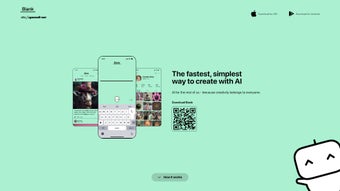

Download Blank App – Free AI Art Creativity Tool for Daily Inspiration
Overview – A Daily Spark of Creativity Powered by AI
Blank App markets itself as the “Duolingo for Creativity,” a web‑based platform that turns the habit of making art into a short, playful routine you can fit into any busy day. Every morning the service delivers a brand‑new prompt that blends three elements – a concise story snippet, a visual style (such as pixel art, watercolor, or neon noir), and a thematic cue (like “retro‑future” or “urban myth”). The challenge is simple: use the AI‑assisted canvas to create a piece of artwork in two minutes or less.
By stripping away the usual barriers of expensive licences, steep learning curves, and time‑consuming setup, Blank App opens the door for everyone from seasoned designers to complete beginners. The prompts are curated by a hybrid team of human editors and generative‑AI models, guaranteeing that ideas stay fresh, surprising, and culturally relevant. Because the tool runs entirely in a browser, there is no software to install, no updates to manage, and the interface works on any device that can access the internet.
This makes it an ideal companion for commuters on a train, coffee‑shop dwellers looking for a creative break, or students who need a quick visual brainstorm between classes. The platform also tracks streaks, awards virtual badges, and hosts a community gallery where users can showcase their rapid creations, fostering accountability and a sense of belonging. In short, Blank App is a secure, free, continuously updated AI‑driven tool that transforms a two‑minute pause into a treasure hunt for imagination, encouraging users to build a daily habit of artistic expression without any friction.
Features & Installation – Getting Started in Seconds and Keeping the Momentum Going
- Daily AI‑Generated Prompts: Every 24 hours a fresh combination of story, style, and theme arrives, guaranteeing endless inspiration.
- Two‑Minute Creative Sprint: Designed for hectic schedules; each task can be completed in under two minutes, preventing burnout.
- Web‑Based and Device‑Agnostic: No download required; works on Windows, macOS, Linux, Android, and iOS browsers.
- Community Gallery & Badges: Share your quick artwork, earn streak badges, and see how others interpret the same prompt.
- Secure Data Handling: All user data is encrypted, and the app complies with GDPR and CCPA standards.
- Continuous Updates: New prompt categories, seasonal themes, and AI model upgrades are rolled out weekly.
- Offline Mode (Beta): Save prompts for later use when you’re without an internet connection.
The “installation” process is reduced to a single click. Users start by navigating to blankapp.com, where they can create a free account using an email address or a social‑login (Google, Apple, or Facebook). After confirming the email, the dashboard appears, showing today’s prompt, a minimalist canvas, a text box for the story, a style dropdown, and a bright “Generate” button.
When the button is pressed, a lightweight AI rendering engine produces a preview in less than a second. From there, users can tweak colors, adjust composition, or add hand‑drawn elements before finalising the piece. Finished artwork can be downloaded as a PNG, shared directly to social media, or saved to a personal gallery for later reference.
Compatibility is a core selling point. Blank App follows progressive‑enhancement principles, meaning it runs smoothly on modern browsers such as Chrome, Edge, Firefox, Safari, and mobile browsers on Android and iOS. No plug‑ins or special extensions are required, and the platform automatically detects screen size to adapt the UI for tablets and phones.
For enterprises or schools, an optional single‑sign‑on (SSO) integration is available, allowing seamless rollout across Windows‑based computers or Chromebooks. The backend infrastructure is hosted on secure cloud services with regular security patches, ensuring that users can trust the environment with their creative ideas. In short, Blank App offers a frictionless, secure, and universally accessible experience that turns any device into a portable art studio.
Pros, Cons & Frequently Asked Questions – A Balanced Look at What Works, What Could Improve, and Common Queries
Pros
- Free core features with no hidden fees; premium upgrades are optional.
- Daily prompts keep the habit alive and prevent creative block.
- Two‑minute limit encourages rapid ideation without pressure.
- Works on any modern browser, eliminating the need for OS‑specific downloads.
- Strong community features foster motivation and peer learning.
- Secure, GDPR‑compliant data handling builds trust.
- Frequent updates add new styles and seasonal themes.
Cons
- AI rendering quality can vary depending on the selected style.
- Limited offline functionality; full experience requires internet.
- Customization options are intentionally simple, which may frustrate advanced artists.
- No native desktop app for Windows or macOS yet.
- Community gallery is public by default; private sharing requires a paid tier.
Frequently Asked Questions
Is Blank App really free, or are there hidden costs?
Blank App offers a completely free tier that includes daily prompts, AI generation, and community sharing. Optional premium upgrades provide additional styles, private galleries, and advanced export options, but none of the core features are locked behind a paywall.
Can I use Blank App on my mobile phone?
Yes. The web app is fully responsive and works on Android and iOS browsers. All functionalities, including prompt generation and artwork download, are available on smartphones and tablets.
How does the AI generate artwork from the prompts?
Blank App uses a proprietary diffusion model that interprets the textual story, chosen visual style, and theme to create a coherent image. The model runs on secure cloud GPUs, delivering results in seconds.
Is my data safe when I create and store artwork?
All user data, including generated images, is encrypted at rest and in transit. Blank App complies with GDPR and CCPA, and users can delete their accounts and data at any time.
Do I need any special hardware to run Blank App smoothly?
No special hardware is required. Since the AI processing happens on the cloud, any device that can run a modern web browser will deliver a smooth experience.
Conclusion – Start Your Two‑Minute Creative Journey Today
Blank App delivers on its promise to make daily creativity as habit‑forming as language learning. By offering free, secure, and instantly accessible AI‑generated prompts, it eliminates the excuses that often keep art on the back burner. Whether you’re a marketer looking for quick visual ideas, a teacher wanting to spark student imagination, or simply someone who enjoys doodling during a coffee break, Blank App fits seamlessly into any routine.
The platform’s community features, badge system, and continuous updates ensure that the experience stays fresh and motivating over the long term. Ready to turn two idle minutes into a burst of artistic expression? Download Blank App now and join thousands of creators who have already made creativity a daily habit.
- Free core features
- Quick two‑minute challenges
- Works on any browser
- Active community and badges
- Variable AI output quality
- Limited offline use
- No native desktop app yet



.png)



